DeAI PixelKit
A downloadable tool
Aseprite extension for cleaning AI-generated pixel art.
DeAI PixelKit is an Aseprite extension that cleans AI-generated pixel art, removes messy backgrounds, and snaps fake pixel grids back to true pixel resolution. If an AI image looks like pixel art at a glance but falls apart when you zoom in, this tool is built for that exact problem.
Use it to turn pseudo pixel art into clean, editable, game-ready sprites without sending images to the cloud. Everything runs locally on your machine. No API keys. No Python. No upload step.
What DeAI PixelKit Fixes
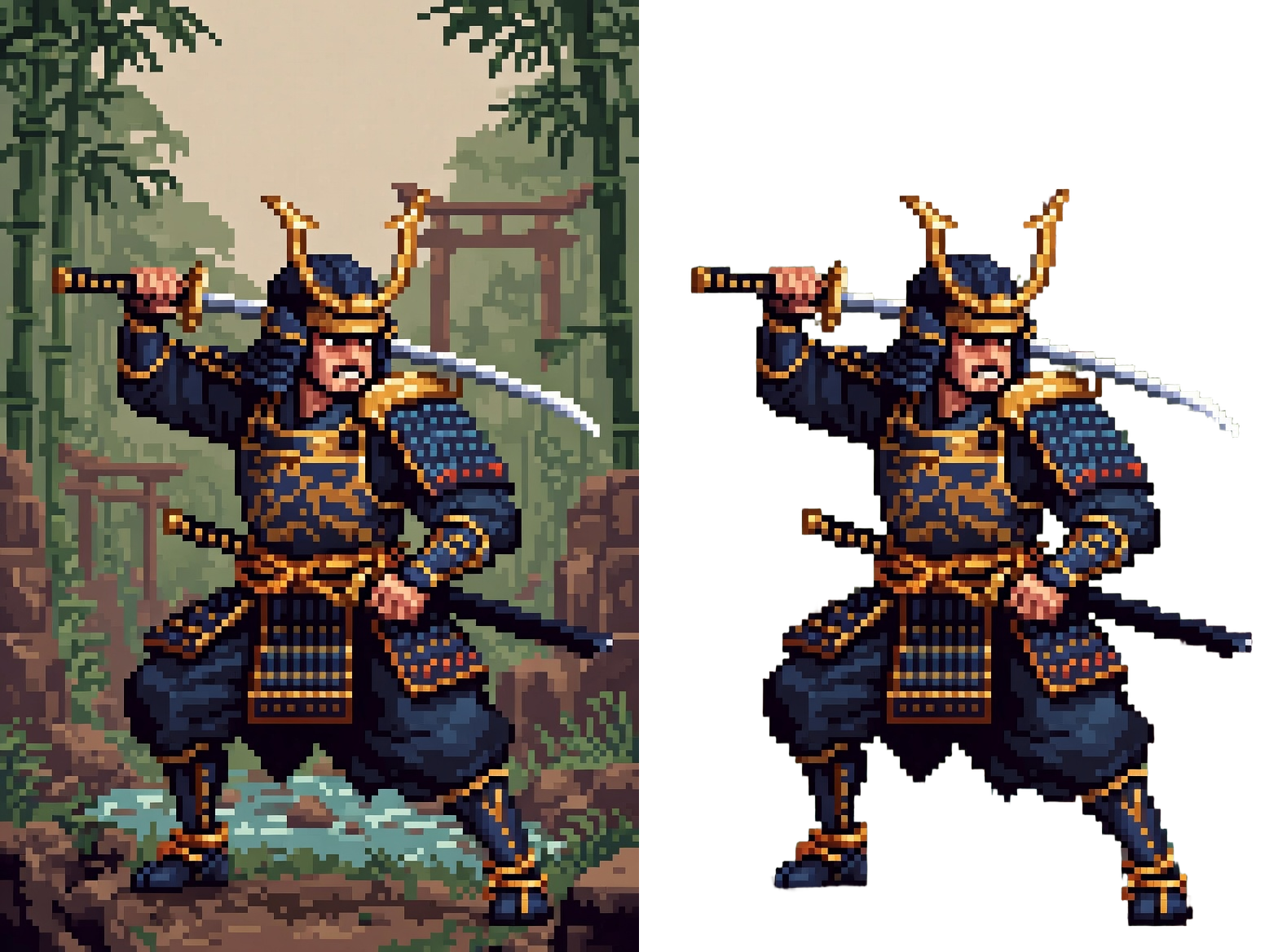
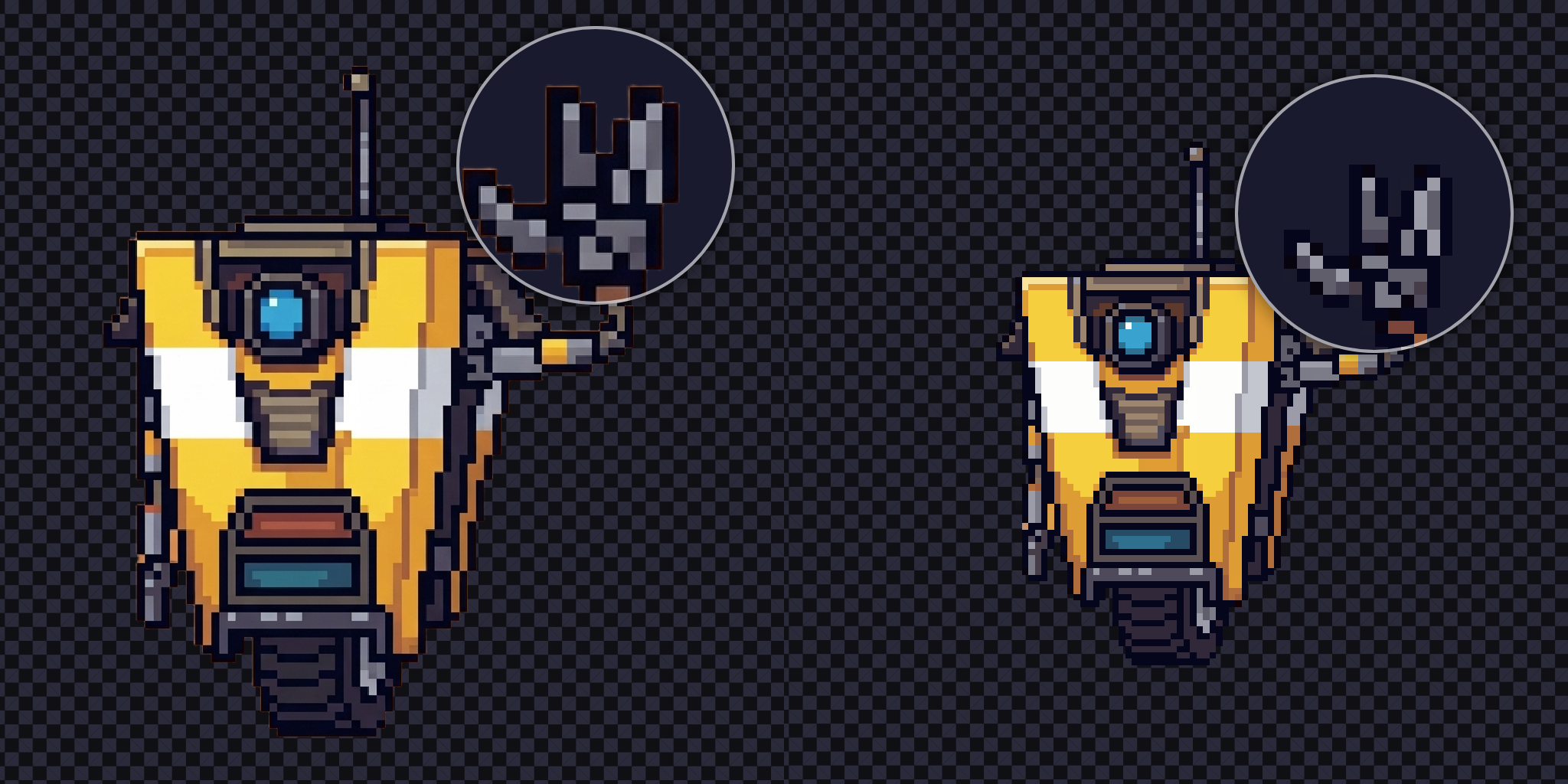
- fuzzy edges instead of crisp pixel blocks
- inconsistent block sizes and broken pixel grids
- noisy or painted backgrounds behind characters and items
- generated sprites that still behave like high-resolution raster images
DeAI PixelKit focuses on those cleanup steps inside Aseprite so you can get back to manual editing faster.
Aseprite Tools Included
AI BG Remover — Remove backgrounds from AI-generated sprites with one click. Runs locally with RMBG-2.0, auto-detects DirectML GPU (NVIDIA / AMD / Intel), and falls back to CPU when needed. Typical speed: ~5 seconds on GPU, ~20 seconds on CPU.
Pixel Scale — Detect the hidden pixel grid in fake pixel art and resample it to real pixel size. Includes K-means++, NeuQuant, and Side-by-Side mode so you can compare results before choosing. Typical speed: under 1 second on CPU.
Best For
- cleaning AI-generated sprites before hand-editing
- removing backgrounds from generated characters or items
- turning fake pixel art into usable game assets
- rescuing client or prototype assets created at the wrong resolution
System Requirements
- Aseprite 1.3+
- Windows 10/11 (x64)
- ~250 MB disk space
Linux and macOS are not supported yet in this build because the bundled binaries are currently Windows-only.
Privacy and Local Processing
- no cloud processing
- no API keys
- no Python dependency
- no upload step
License
Plugin code is MIT. Bundled binaries (Pixel Snapper, NeuQuant, ONNX Runtime) are MIT.
RMBG-2.0 is licensed under the Bria AI Community Open Source License. It is free for personal and non-commercial use. Commercial use requires a separate license from Bria AI. Pixel Scale has no such restriction.
AI Disclosure
This project is built with AI assistance. The code was written collaboratively with an LLM, and the demo images use AI-generated source art because that is the exact workflow this tool is meant to clean up. The bundled RMBG-2.0 model is open-source software included as a dependency.
Credits
RMBG-2.0 (Bria AI) · Pixel Snapper (Hugo Duprez) · color_quant / NeuQuant · ONNX Runtime
Leave a comment if you find a bug or want a feature.
Download
Install instructions
- Download the zip from this page and extract it.
- Open Aseprite.
- Go to Edit -> Preferences -> Extensions -> Add Extension.
- Select
deai-pixelkit.aseprite-extension. - Restart Aseprite.
Both tools appear under Edit -> FX.
Comments
Log in with itch.io to leave a comment.
MASTERPIECE
well, after I actually used this: IT IS ABSOLUTE MASTERPIECE
Thanks, my friend~